Blog

The green dot in the upper right corner of your Android might seem confusing, but don’t worry. We’ll explain what it is and what it means

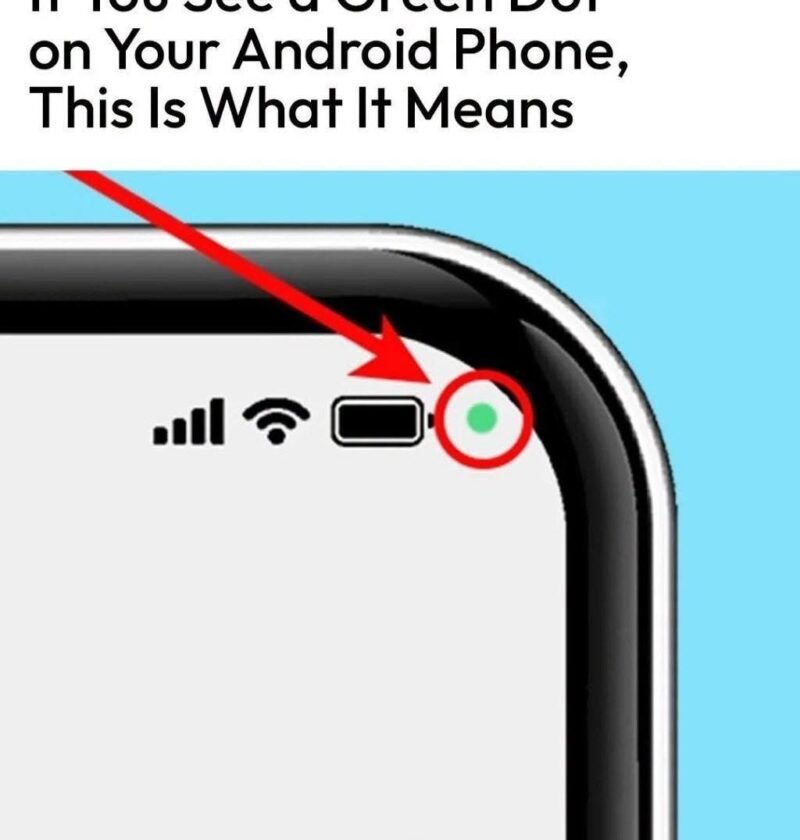
The green dot in the upper right corner of your Android screen is a privacy indicator introduced in Android 12. It means that an app is currently using your phone’s camera.
Whenever an app accesses your camera hardware—whether you opened the camera app yourself, are on a video call, or an unexpected background app is running—the operating system displays this green indicator to keep you informed.

How to Check Which App Is Using Your Camera

If you aren’t actively using your camera and want to see which app triggered the indicator, you can check your privacy dashboard:

1.Open Settings:System.

Swipe down from the top of your screen twice to open the Quick Settings panel, then tap the Gear icon (Settings).
2.Navigate to Privacy:Security.

Scroll down and tap on Privacy, then select Privacy dashboard.
3.View Camera Usage:Timeline.

Tap on Camera to see a chronological timeline of which apps have accessed your camera recently.

Leave a Reply

Your email address will not be published. Required fields are marked *