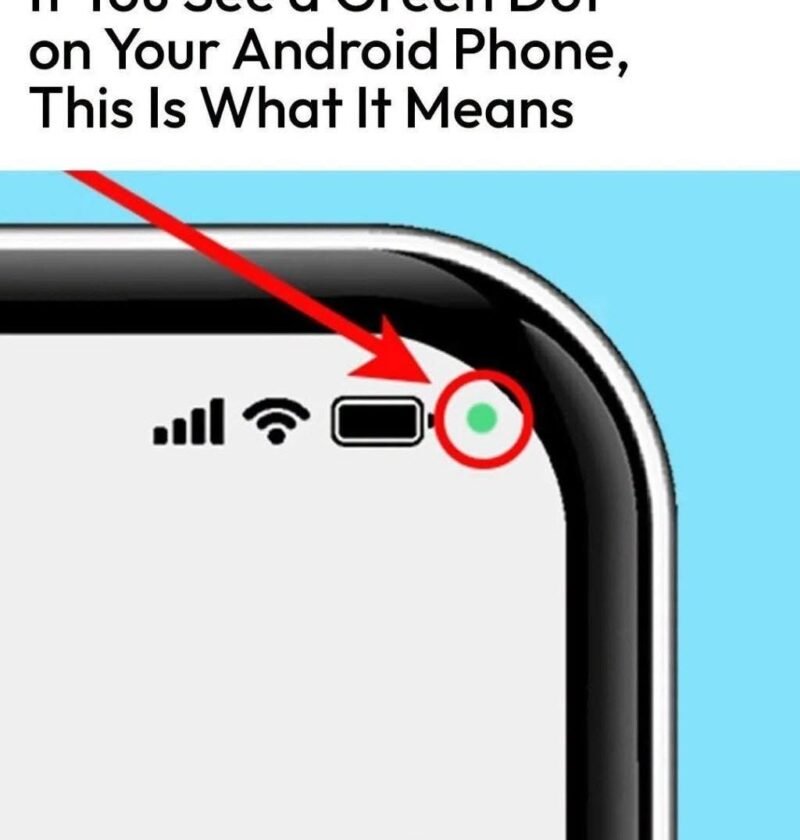
That green dot in the upper-right corner of your Android screen is a built-in privacy feature designed to keep you informed and secure. There is no need to worry—it does not mean your phone is hacked.
Instead, it is a transparent alert system letting you know exactly when your hardware is in use.
What the Green Dot Means
-
Active Hardware Use: The green dot indicates that an app is currently using your phone’s camera or microphone.
-
Introduced for Privacy: Starting with Android 12, Google added this feature (similar to Apple’s iOS privacy indicators) to prevent background apps from spying on you secretly.
-
Instant Expansion: If you tap on the green dot (or swipe down your quick settings panel), a small icon or notification will pop up telling you which specific app is accessing your camera or microphone at that exact moment.
When Should You Pay Attention?
-
Normal Activity: Seeing the green dot is completely normal when you are on a phone call, recording a video, taking a picture, sending a voice note, or using a video conferencing app like Zoom or Google Meet.
-
Suspicious Activity: If the green dot appears when you are sitting on your home screen with no apps open, or while using an app that has no business needing your camera or microphone (like a calculator or flashlight app), it may indicate that an app is misbehaving or abusing its permissions.
How to Check and Control App Permissions
If you ever notice the green dot when you shouldn’t, you can easily check which apps have permission to use your camera and microphone:
-
Open your phone’s Settings.
-
Tap on Privacy (or Apps & notifications > Permission manager).
-
Select Camera or Microphone to view a full list of which apps are allowed to access them.
-
Revoke permissions for any unfamiliar or untrusted apps.
Pro Tip: You can also check your Privacy Dashboard in your settings to see a timeline of which apps accessed your camera, microphone, or location over the past 24 hours.